
 Free SEO Audit
 Popular
 SEO
 Google Ads Management
 Ecommerce SEO
 Web Design Service
 White Label SEO


For years, online-only businesses, SaaS companies, digital agencies, and e-commerce brands faced a frustrating limitation with local search directories: platforms like Google Business Profile explicitly excluded businesses without a physical storefront.
On November 10, 2026, OpenAI changed the game by launching Businesses in ChatGPT in beta through ChatGPT Business Hub. For the first time, website-based businesses can claim an official profile, verify domain ownership, manage how their brand is described inside ChatGPT conversations, and access first-party referral data.
Whether you run an e-commerce store, a B2B software platform, or a growing digital brand, claiming your profile early ensures ChatGPT presents accurate information about what you offer. In this guide, we break down who is eligible, how to complete the verification process step by step, and what this launch means for your broader AI visibility strategy.
- Open to Online Businesses: E-commerce stores, SaaS companies, agencies, and publishers can claim profiles.
- Two-Step Verification: Verify domain ownership and complete Persona’s identity and business checks to earn a blue badge.
- Control Brand Information: Manage business details, product feeds, and eligible U.S. Business Agents.
- AI Engagement Insights: Track ChatGPT website mentions, clicks, and discovery topics.
- No Ranking Guarantee: Verification doesn’t guarantee recommendations; strong GEO and authoritative content still matter.
- Team Access: Invite admins, but verify each brand or location separately.
What Is ChatGPT Business Hub (And Who Is Eligible)?
ChatGPT Business Hub is OpenAI’s dedicated portal for business owners and authorized representatives to claim, verify, and manage their brand presence inside ChatGPT. Once verified, eligible companies can update their official business details, upload product feeds with live pricing and availability, view engagement insights, and, for eligible U.S. e-commerce and online service businesses, build conversational Business Agents.
Website Businesses Vs. Physical Locations
During the current beta rollout, OpenAI separates businesses into two primary setup paths:
- Online & Website Businesses: Eligible websites, including e-commerce brands, SaaS companies, digital service providers, and online publishers, can verify ownership directly through their domain (or via a one-click Shopify integration for Shopify merchants).
- Physical Locations: If your brick-and-mortar store or restaurant already has an existing U.S. listing in OpenAI’s database, you can claim it using your listed business phone number via SMS or an automated call. However, attempting to create a brand-new physical location profile currently places you on a waitlist.
Why This Matters for E-Commerce & Digital Brands
Previously, ChatGPT relied exclusively on web crawls and third-party directories to describe your company, which often led to outdated pricing, old brand names, or incomplete service summaries. Business Hub gives you a direct source of truth inside the world’s largest AI assistant, laying the foundation for conversational commerce and Generative Engine Optimization (GEO).
Pre-Submission Checklist: What You Need Before Starting
Before logging into Business Hub, gather the following technical and legal details so your team can complete the process without delays:
- Domain & DNS Access: You (or your web developer) will need access to your domain registrar’s DNS management panel (such as Cloudflare, GoDaddy, or Namecheap) to add a TXT record. Tip: Lower your DNS TTL (Time to Live) to 5 minutes beforehand so verification propagates quickly.
- Official Business Names: Your public-facing brand name, legal registered name, and DBA (“doing business as”) or trading name if different.
- Entity & Registration Details: Your business structure (sole proprietorship vs. corporate entity) and country-specific tax or registration identifier (such as a U.S. EIN or your local tax/company registration number).
- Physical Business Address: A valid street address is required; OpenAI’s verification form does not accept P.O. boxes.
- Authorized Representative ID: You must be the business owner or an authorized representative. Have a government-issued photo ID and a smartphone with camera access ready for OpenAI’s third-party identity check via Persona.
Step-by-Step: How to Submit Your Website to ChatGPT Business Hub
Step 1: Search for Your Business or Start a New Profile
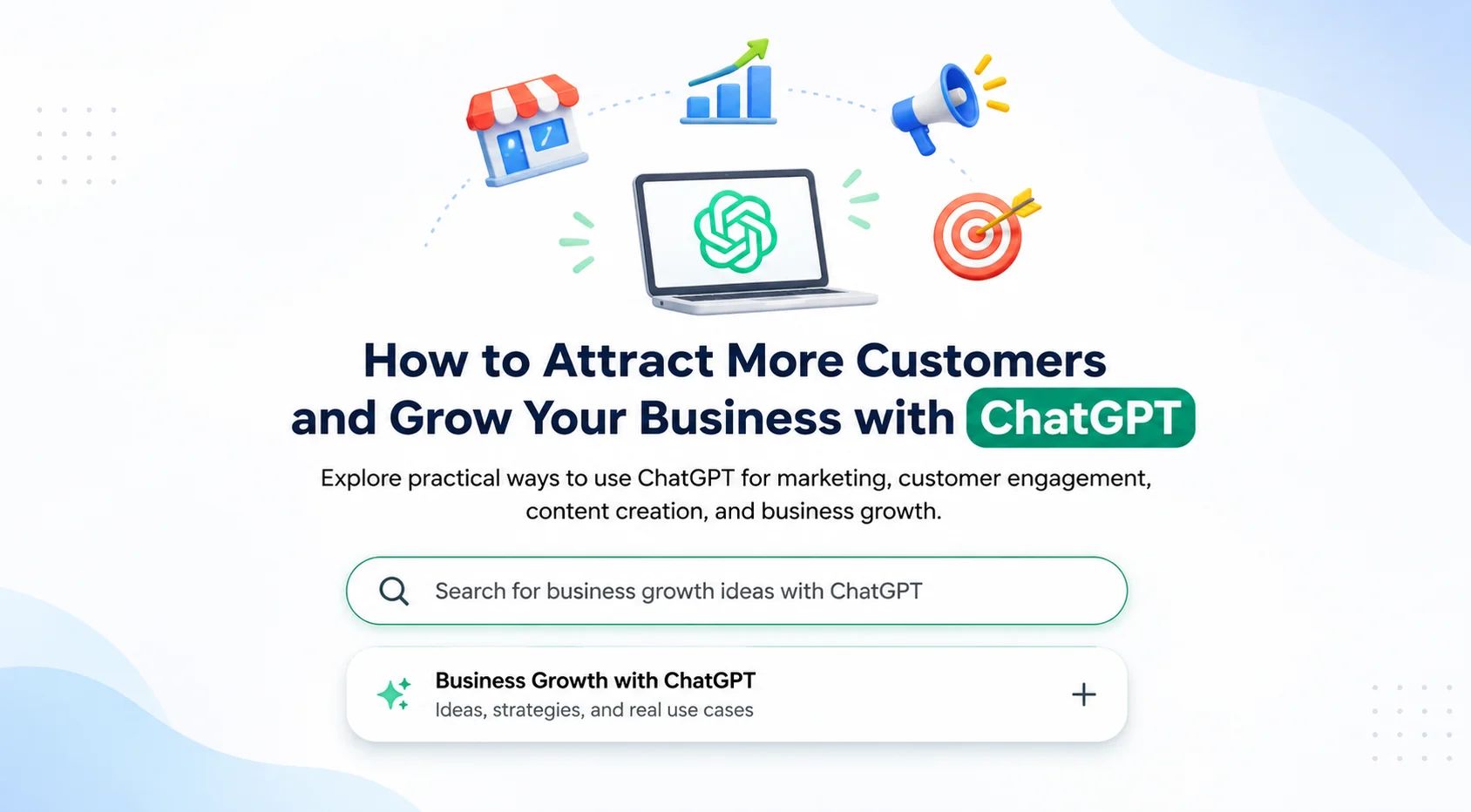
Sign in to your ChatGPT account (ideally using a company-controlled email rather than a personal login) and open Business Hub from the sidebar or via [chatgpt.com/business-hub](https://chatgpt.com/business-hub). Search for your brand name to see if OpenAI has already generated a listing from public web data. If no match appears, select the option to create a new business profile.
Step 2: Select “Through a Website” as Your Interaction Type
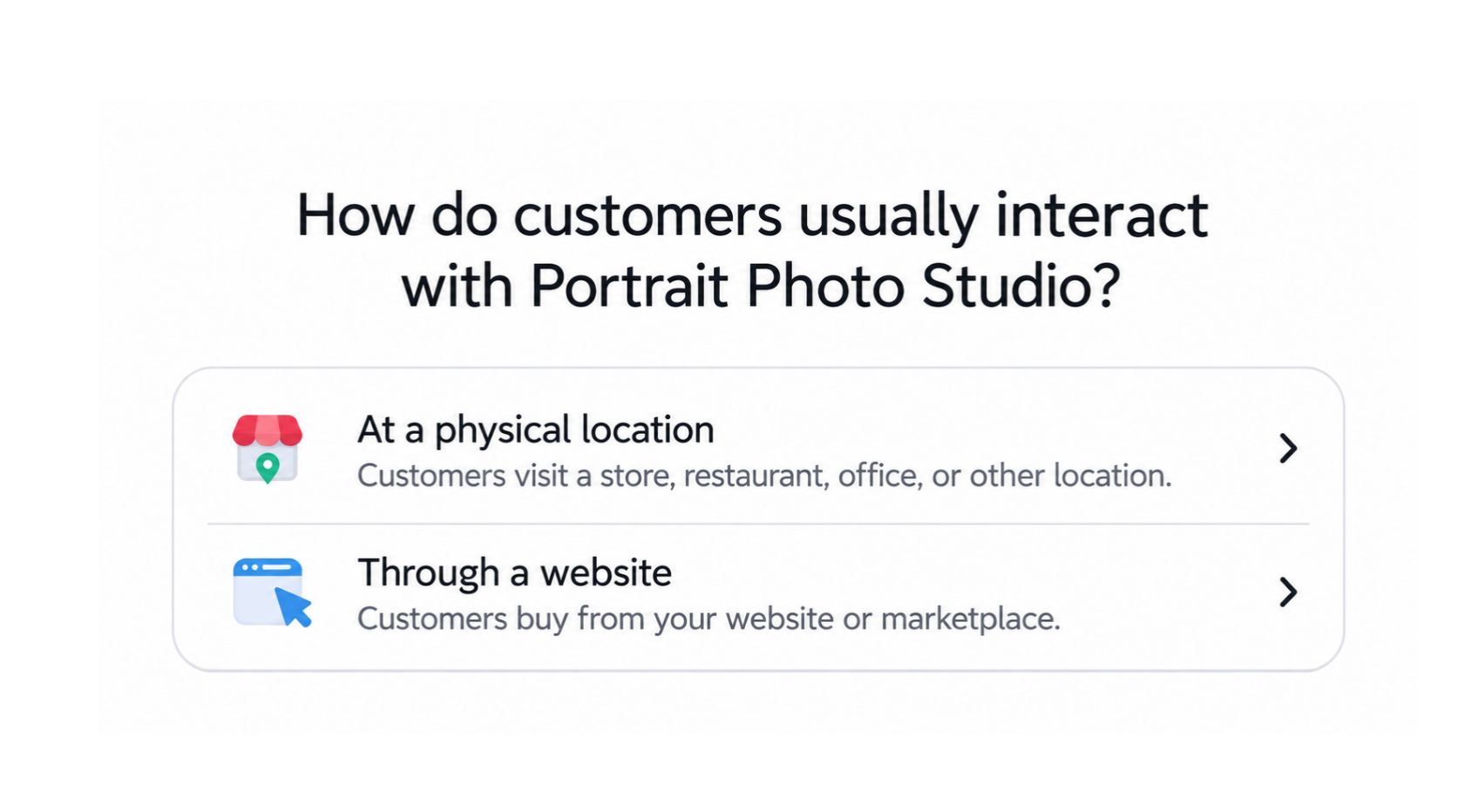
When prompted to choose how customers interact with your business, select Through a website. Choosing the website path routes you straight to domain verification, bypassing the waitlist currently affecting new physical-location submissions.
Step 3: Verify Domain Ownership via DNS TXT Record
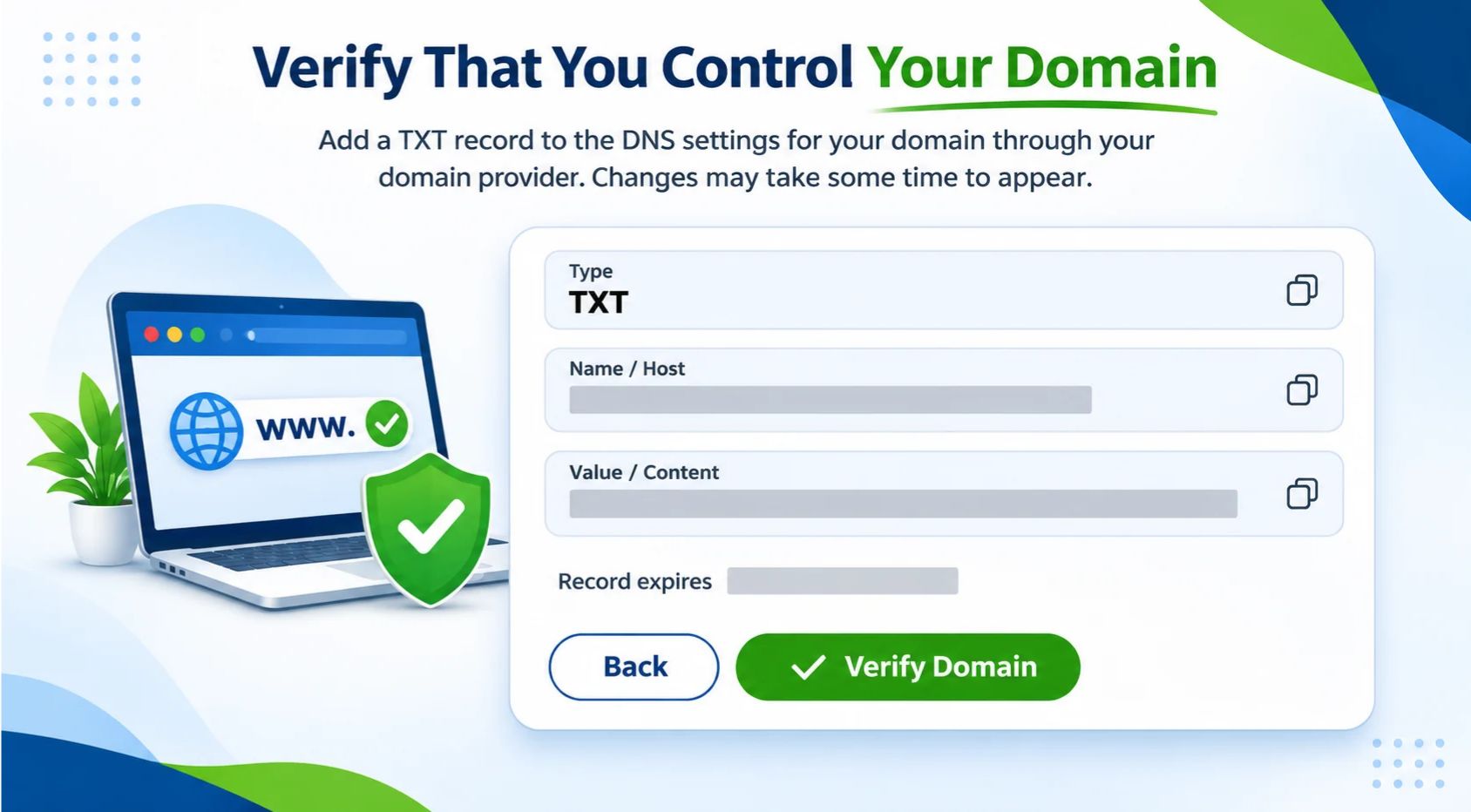
To prove you control the website, ChatGPT will generate a unique DNS TXT record (comprising a record type, host/name, and value).
- Copy those exact values into your domain’s DNS settings.
- Wait a few minutes for the record to propagate.
- Return to ChatGPT and click Verify domain.
(Note: If you operate on Shopify, Business Hub also supports connecting and verifying directly through your Shopify store login.)
Step 4: Choose Your Category & Write a GEO-Optimized Description
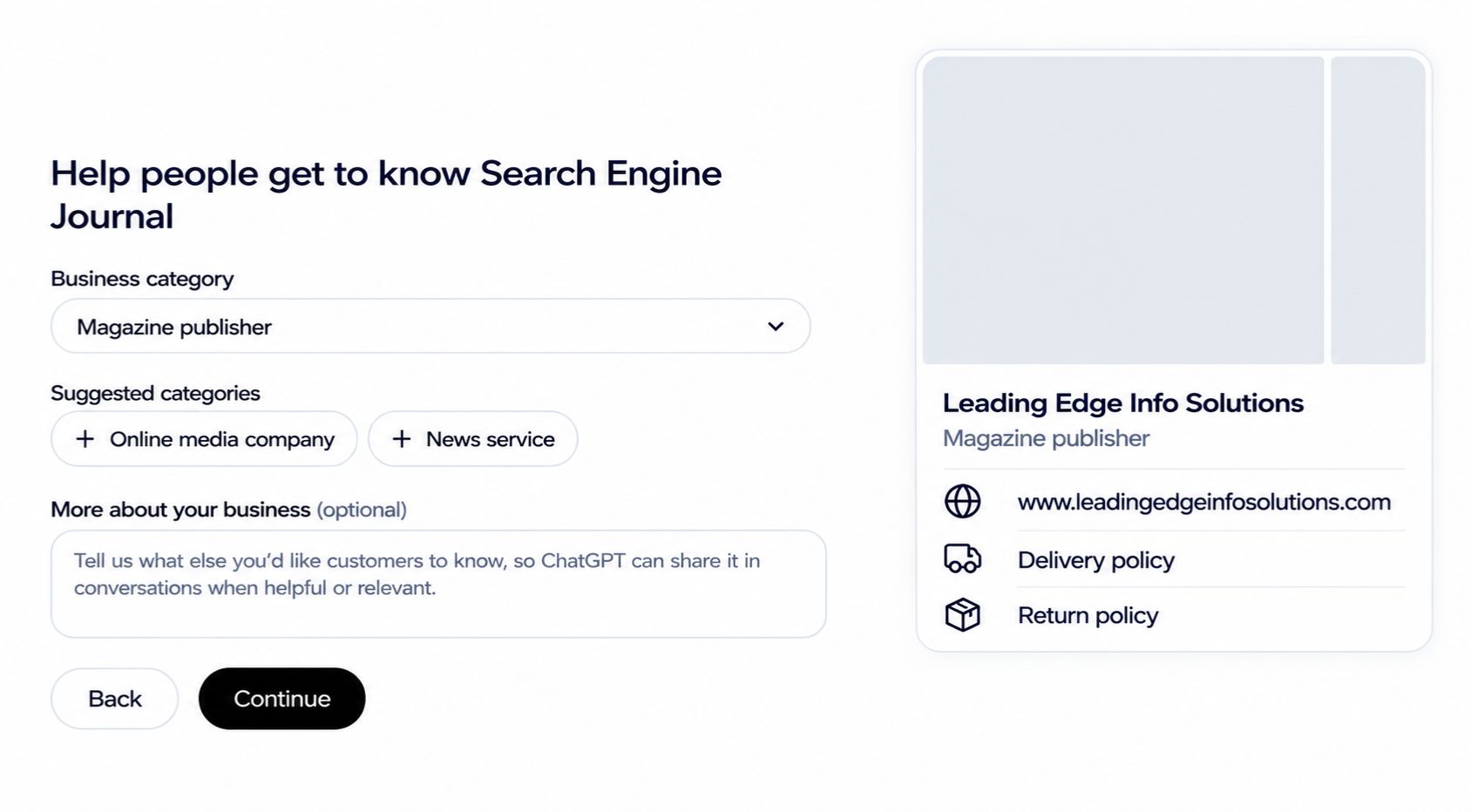
Once your domain is verified, select the predefined business category that best reflects your core offering. Next, fill in your business description.
OpenAI notes that ChatGPT may reference these details when answering relevant user queries. Instead of stuffing keywords, write a clear, natural-language summary explaining who your target customers are, what problems you solve, and what sets your products or services apart. Think about the exact conversational prompts your buyers type into ChatGPT and ensure your description aligns naturally with those needs.
Step 5: Configure Contact Details & Review Policy Prompts
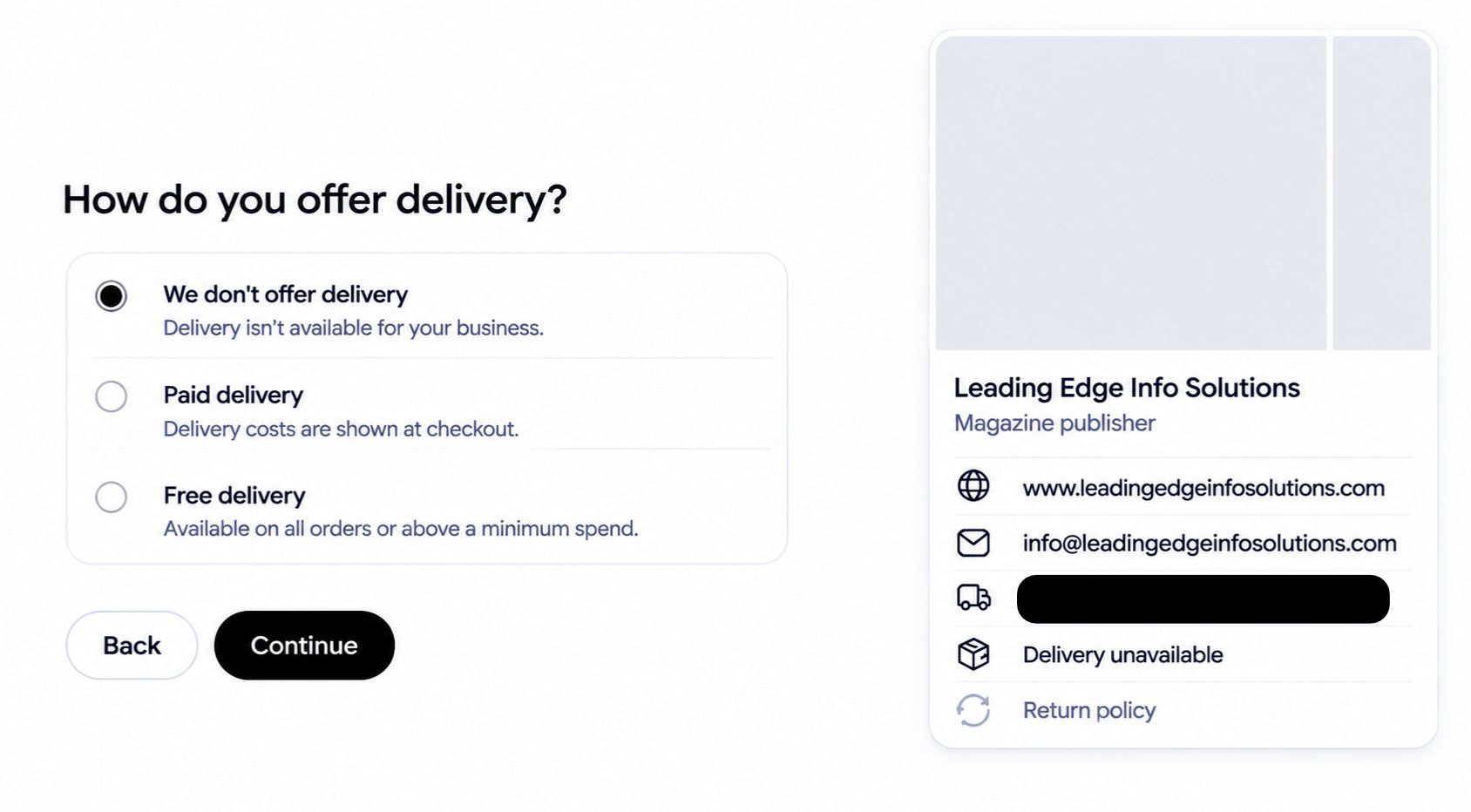
On the following screens, you can add an optional customer support email and phone number. ChatGPT will also ask you to specify delivery options (no delivery, paid delivery, or free delivery) and return policies (unavailable, accepted with fees, or free).
Watch out for this beta quirk: Even if you run a B2B service business or digital publication, Business Hub currently displays these e-commerce shipping and return prompts. Check the live profile preview on the right side of the screen to ensure your selections accurately reflect how you operate before saving your draft.
Step 6: Complete Persona Identity Verification & Publish
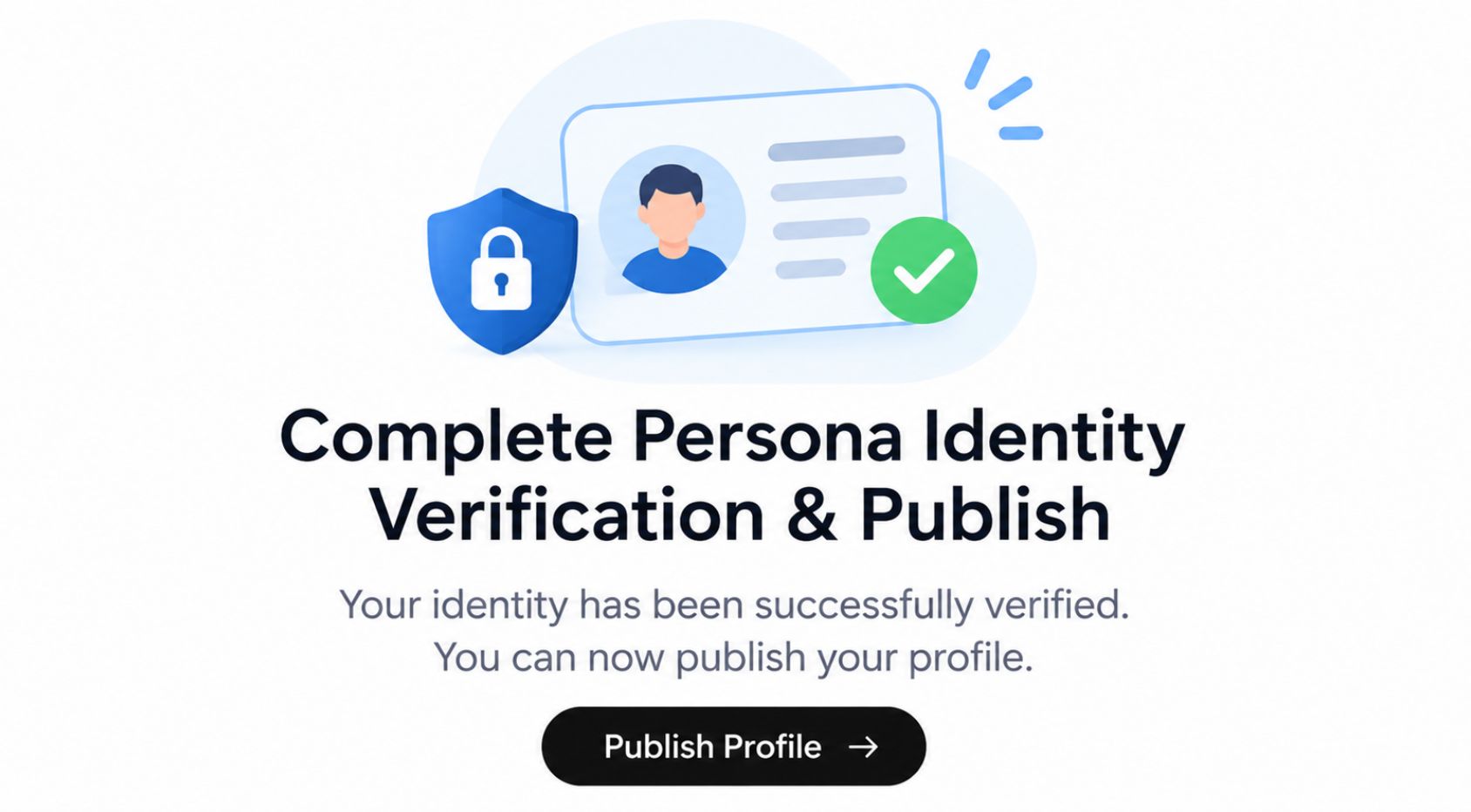
Before your profile goes live with a verified badge, OpenAI requires an identity and business legitimacy check powered by Persona:
- Scan the on-screen QR code with your smartphone to complete a quick government ID and selfie check (no app download required).
- Enter your legal business name, entity type, tax/registration ID, website URL, and physical street address.
- Double-check every field carefully. Once Persona approves your submission, your new profile publishes automatically and displays the verified blue checkmark.
Understanding ChatGPT Business Hub Insights & Team Access
Once verified, Business Hub unlocks a dedicated Insights dashboard with 7-day and 28-day reporting windows, giving marketers their first direct look at how users discover their brand in ChatGPT.
Mentions vs. Website Clicks (What the Data Actually Measures)
- Mentions: OpenAI uses a strict definition for online businesses. A mention is counted only when ChatGPT references and links to your website in a response; plain-text mentions of your brand name without a clickable source link do not count.
- Website Clicks: Tracks how many users clicked through from ChatGPT to visit your site.
- Discovery Topics: Highlights the top themes across conversations where your website was cited (aggregated to protect user privacy; OpenAI never shares individual user chat transcripts).
Pro Tip: Export or record your Business Hub numbers regularly and compare those date ranges against your Google Analytics (GA4) AI referral traffic so you can connect ChatGPT visibility directly to leads, sign-ups, and revenue.
Adding Admins & Agency Partners
You don’t have to manage your profile alone. From the business overview screen, click Invite in the top-right corner to add teammates or external marketing partners as business admins using their own ChatGPT account emails.
Keep in mind that OpenAI does not yet offer a centralized parent dashboard for multi-brand corporations or franchises; each brand or location must currently be claimed and verified separately.
Does Claiming Your Profile Boost ChatGPT SEO & Rankings?
OpenAI clearly states that claiming a Business Hub profile does not guarantee higher placement or automatic recommendations. ChatGPT still synthesizes answers from across the open web, authoritative third-party reviews, and structured site data.
However, verifying your profile is still a critical foundational step for three reasons:
- Eliminating Conflicting Brand Data: AI models lose confidence when your Name, Address, Phone number (NAP), pricing, or service descriptions conflict across your website, directories, and social channels. Business Hub anchors your official facts.
- First-Party AI Attribution: Instead of guessing how often ChatGPT cites your domain, you now have verified baseline metrics to measure growth.
- Future-Proofing for AI Commerce: Verified profiles are eligible to upload structured product feeds and deploy interactive Business Agents, features that will become essential as conversational shopping scales.
As generative search evolves, technical website architecture, authoritative content, and structured brand entities work hand in hand. Brands investing in dedicated ChatGPT SEO services aren’t just checking a verification box; they are ensuring their entire digital footprint is easy for large language models to crawl, trust, and recommend.
Need a Hand Getting Verified in ChatGPT?
Claiming your profile in ChatGPT Business Hub takes less than 30 minutes, yet it puts your brand ahead of competitors who are still treating AI search as an afterthought. Start by verifying your domain, aligning your business details across the web, and tracking your baseline mentions and clicks.
Need help navigating DNS domain verification, structuring product feeds, or building a comprehensive Generative Engine Optimization strategy? As a specialized AI SEO agency, Leading Edge Info Solutions helps ambitious businesses optimize their websites for ChatGPT, Perplexity, and Google AI Overviews, turning AI conversations into qualified traffic and revenue.
Contact Leading Edge Info Solutions today to help you verify your website and audit its current visibility in AI.
Facing Issues Submitting Your Website to ChatGPT Business Hub?
Get Expert Help Today